Table of Contents
Key Takeaways
- Meta AI’s image generator now runs on Muse Image, a brand-new model Meta launched in July 2026 — free to use inside the Meta AI app, Instagram, and WhatsApp.
- It’s really good on quick, personal visuals, but it’s designed for the day-to-day and not for enterprise-level licensing or uniform branding.
- Specific prompts beat “clever” ones. Any fancy words are unnecessary; it is important to name your subject, setting, lighting, and style.
- It’s a good choice for social posts, blog headers and quick ideas, but not a great choice for major campaigns where consistency and legal clarity are paramount.
- When it comes to visuals that have to be consistent and “on-brand,” the combination of AI speed and human design (such as Graphically) still reigns supreme.
You’ve seen the photo. Two individuals in blazers, handshaking too tightly, smiling too hard, standing in a very clean office. It is featured on landing pages, blog posts, and slide decks everywhere, due to thousands of unrelated businesses using the same image.
The stock photo subscriptions aren’t inexpensive either. The monthly plans that libraries such as Shutterstock and Adobe Stock usually offer are in the range of $25 to $250+ per month, depending on the number of images required. With the introduction of a free AI image generator that it offered to billions of app users in July 2026, the inevitable follow-up question was: Can the Meta AI image generator truly supplant this line item in your spending plan?
Here’s a straight answer, plus how to actually use it well.
So, Can It Replace Stock Photos? Here’s the Honest Answer
Yes for a lot of “everyday” content. For your biggest, most important brand visuals, not quite yet.
The truth about stock photos is that they are not supposed to be personal. They’re designed so they can be used by thousands of unrelated companies without the image being “too” specific. That’s exactly why certain photos become famous for the wrong reasons.
There’s a true stock photo model who became a mini internet celebrity this way. She’s the friendly, photo-record face that has been seen on websites as diverse as dental practices to smoothie shops, and has been spotted by people all over the world, tracking her sightings across brands and businesses with no connection to her. Then there’s the “woman laughing alone with salad” cliché, a joke so well-known it’s shorthand for anything that looks fake-happy. It’s so familiar that the 2015 comedy Unfinished Business did an entire photoshoot to the point of making fun of it, since fans would instantly be able to tell the joke.

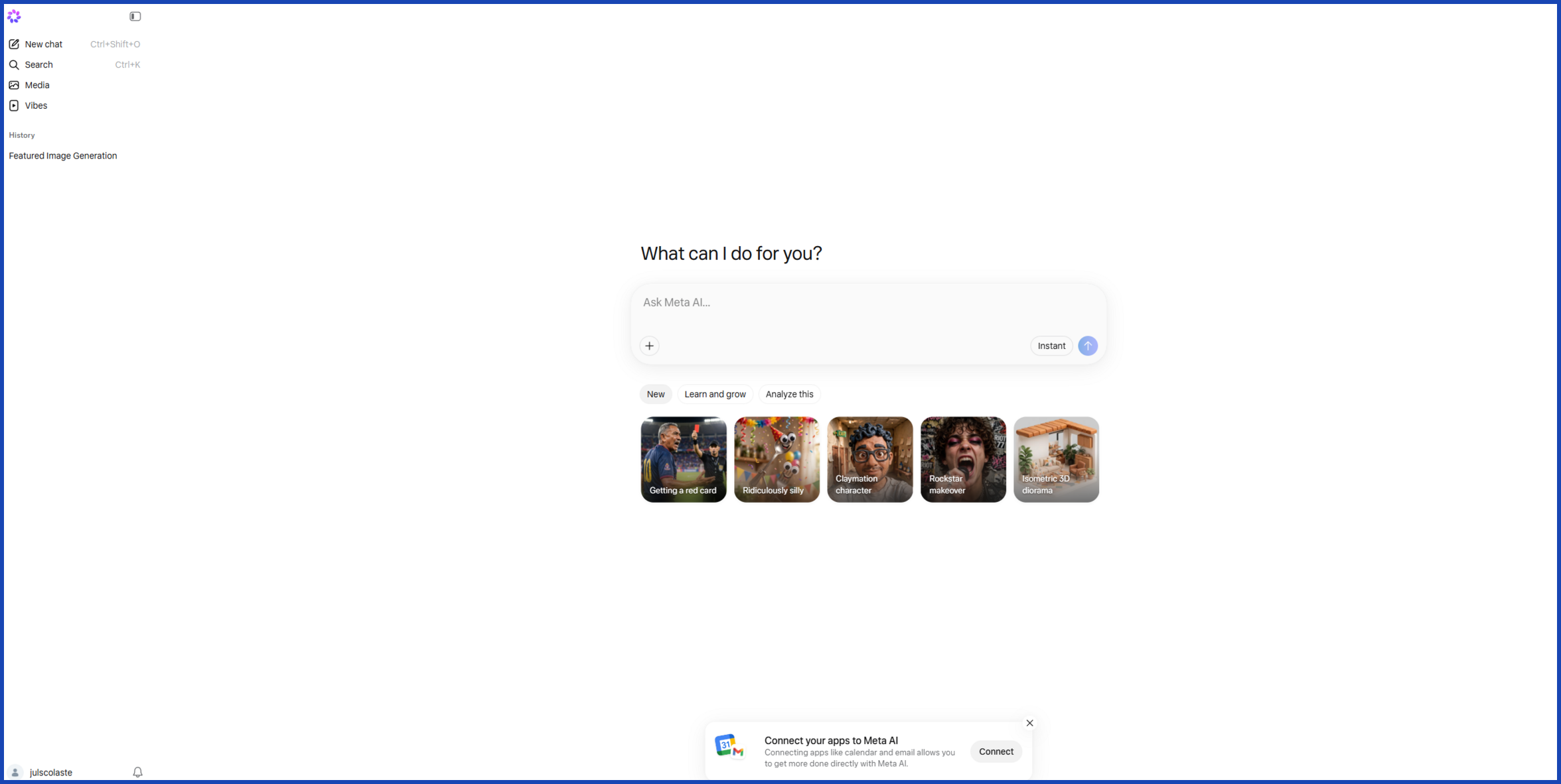
That’s why the Meta AI image generator comes into play. Instead of digging through a stock library for the least-cheesy handshake photo, you describe exactly what you need — your product, your team, your actual vibe — and get something built for that one moment, for free.
Where it doesn’t fully replace stock photography yet: huge, brand-defining campaigns. The ad was impressive, but when Coca-Cola aired a holiday commercial in 2024 that was entirely AI-generated, people weren’t happy about it. The animation itself was impressive, but when the ad was completely AI-generated, people weren’t happy about it. Guess also recently ran an ad featuring AI-generated models in a copy of Vogue that received a similar amount of backlash from readers. If the job is to evoke a true emotional response, 100% AI may not be beneficial.
How to Write Prompts That Actually Get You Good Results
The model that powers Meta AI’s pictures, Muse Image, is designed to engage in a back-and-forth conversation with you instead of following a single command. Think of it as if you were hiring a designer and telling them what you want instead of typing in search terms.
A few things that consistently improve your results:
- Speak as if you were an individual, not a list of keywords. “A cozy morning coffee scene with soft window light and a ceramic mug on a wooden table” beats “coffee, mug, table, morning.”
- Name the subject, setting, lighting, and mood. The more specific detail you give, the less Meta AI has to guess.
- Continue to improve; don’t start over. Use the phrase “make the lighting warmer” or “change the background to outdoors,” and Meta AI will make these adjustments to the same image.
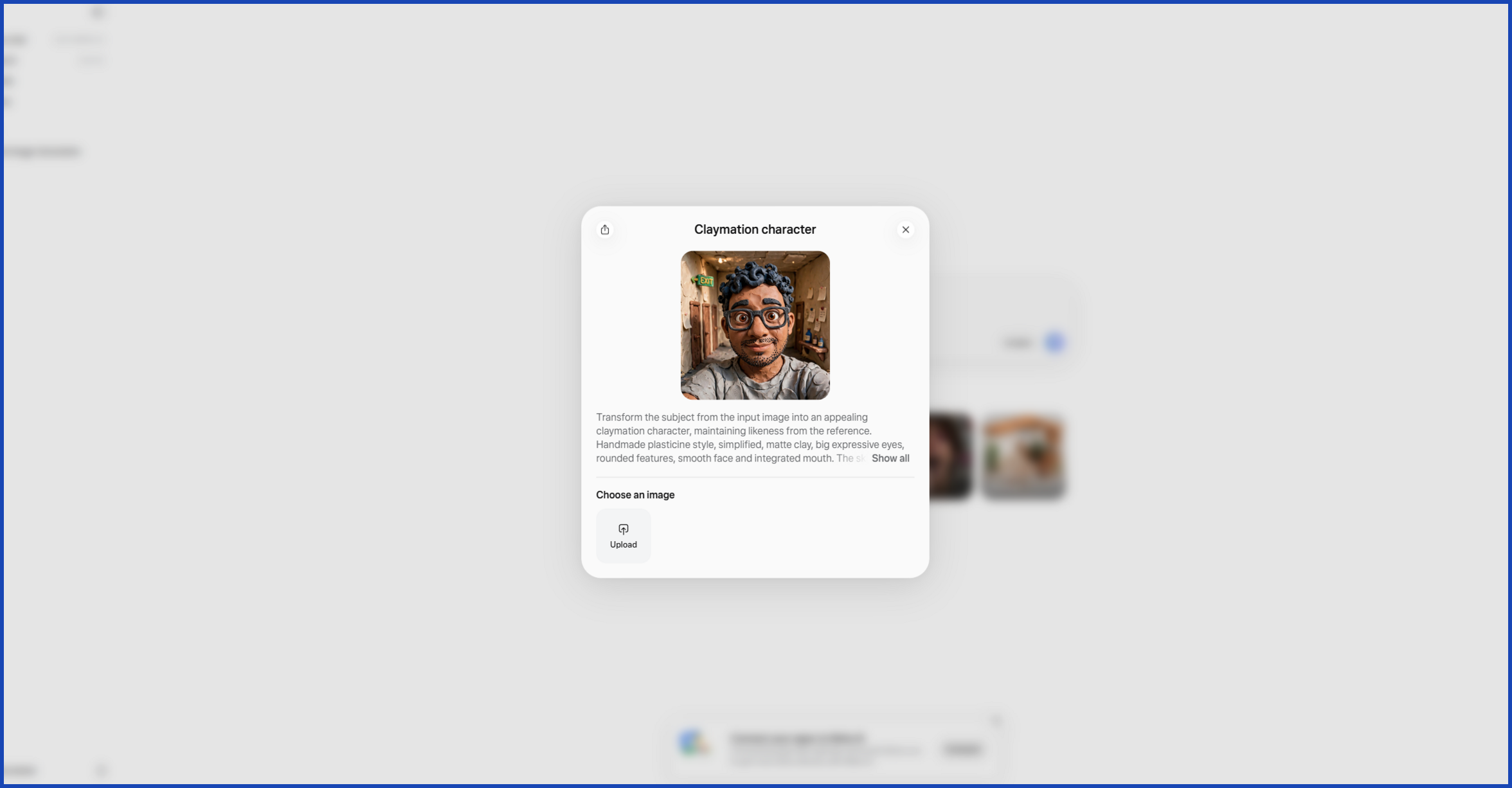
- Use your own photo as a reference. Add an image of your product, room or team and let Meta AI create a structure around it. This adds credibility to the outcome, which is otherwise completely generic.
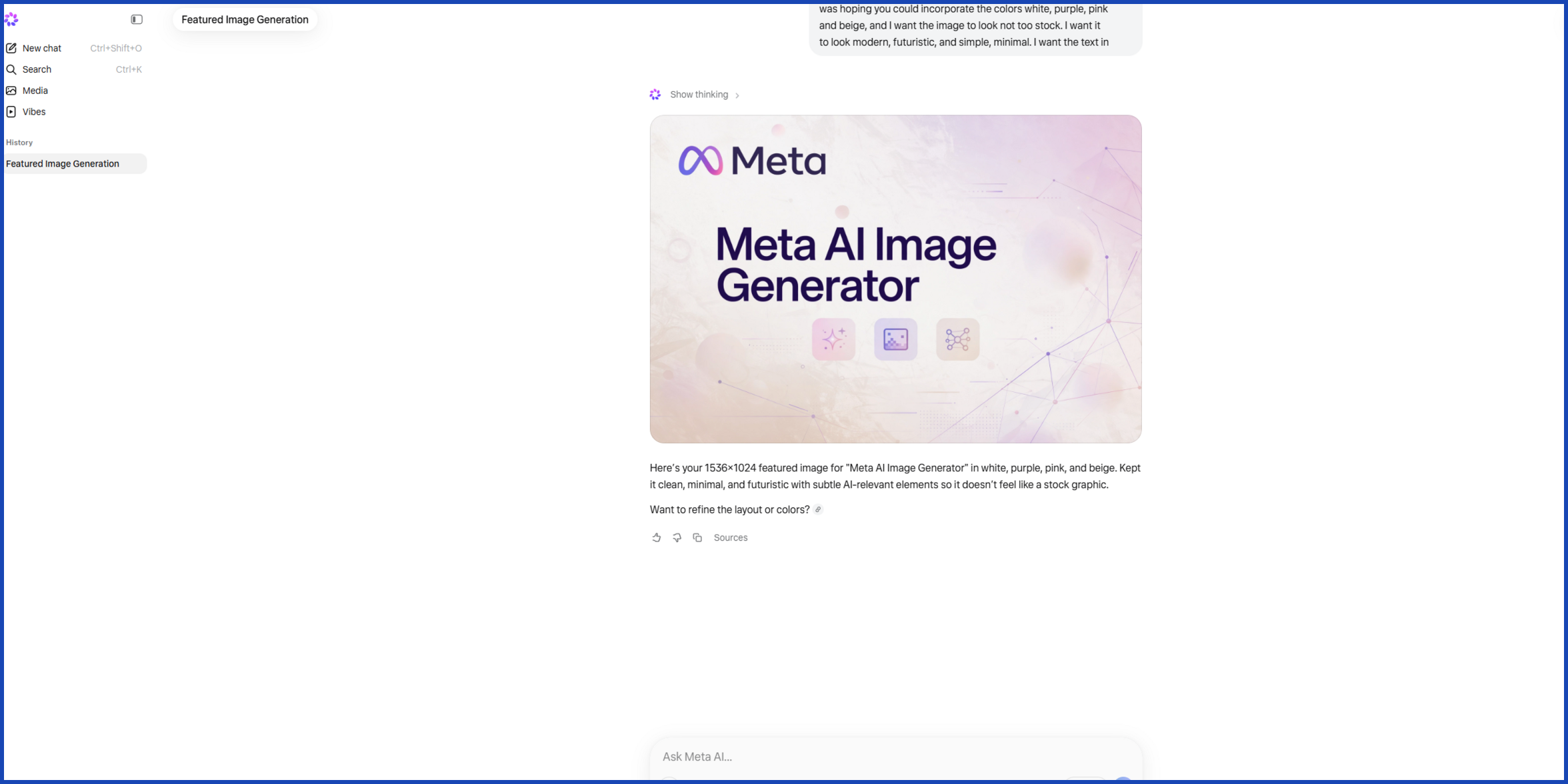
- Ask for text right inside the image, like a sign or label. Muse Image is designed to display clear, legible text, as opposed to scrambled letters.
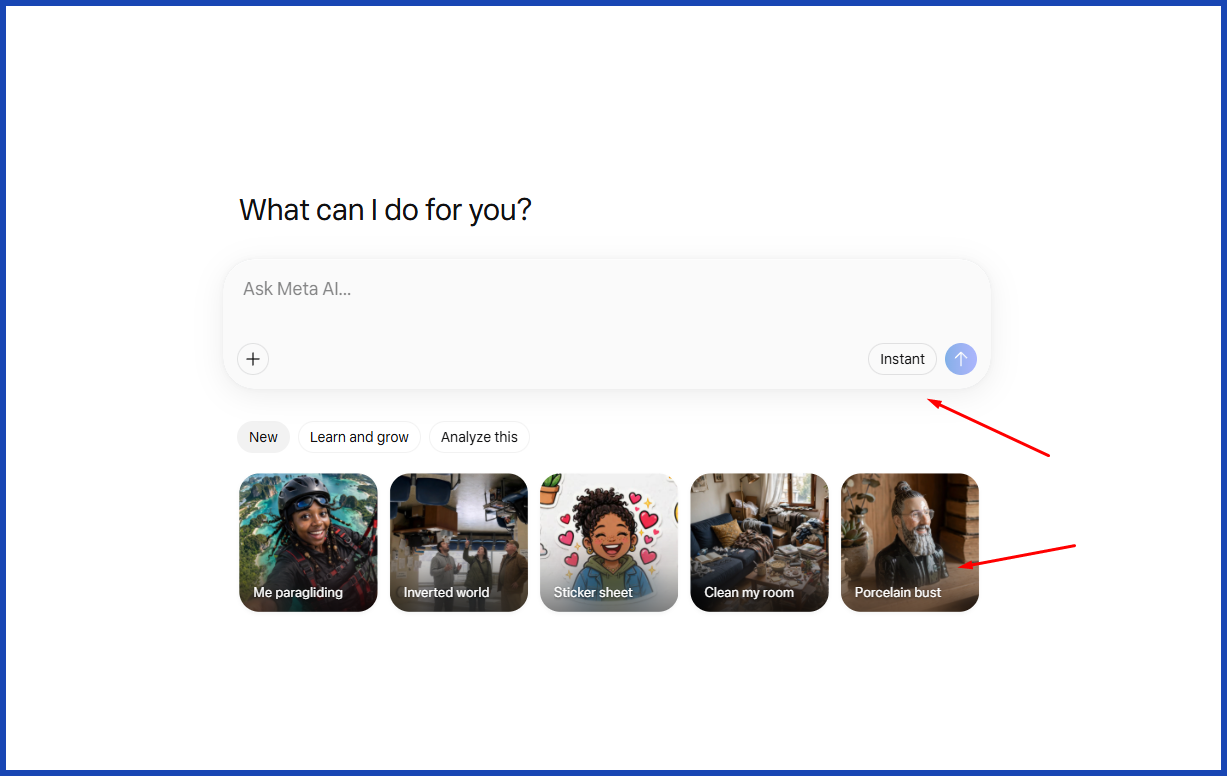
- Still stuck? Use a preset. Meta AI includes ready-made prompt ideas if you’re not sure where to start.
Where the Meta AI Image Generator Really Shines
This is where the “replace your stock photo budget” case gets a lot stronger. A few standout uses:
- Blog headers and article thumbnails. Don’t use the same type of image that everyone else is using; create one that is more specific to your topic.
- Social posts and Stories. With Meta AI, you can now try more than 30 new effects inside Instagram Stories, and without ever leaving the app, you can re-style a photo or create a new one.
- Quick concept mockups. Looking to get a feel of what a product might look like in a photoshoot before committing to an actual shoot? Create a preliminary sketch.
- Visualization of room and space. Take a picture of a space and let Meta AI recreate it using real products that are available to go shopping for — helpful for interior brands or retailers who want to create “before and after” style content.
- Personalized marketing. Small business owners can create images that are specifically around their product or target audience rather than a generic photo “that fits” the product.
- Improving or recreating old photographs. Instead of cleaning up an old family or archive photo, one tap will do the job, perfect for “our story” pages and anniversary posts.
Before getting on top of it: This is a consumer tool, not a production pipeline. There’s no batch generation or team dashboard, and free use has a daily cap before Meta nudges you toward its paid Meta One plan. It’s also worth knowing that purely AI-generated images currently get weak copyright protection in the US, so if owning your visuals exclusively matters to your brand, that’s worth factoring in.
Conclusion
The Meta AI image generator is a very handy and free tool to reduce reliance on stock images. For blog posts, social media, quick mockups, and regular marketing, this can definitely take up some of that stock photo budget.
It is not a total replacement for a design team, and it was never the intent to create a replacement for a design team. It can’t guarantee your visuals stay consistent across dozens of assets, and it won’t automatically give your brand the polished, professional look a growing business eventually needs.
This is where a service such as Graphically comes in handy. At an affordable monthly price, Graphically provides unlimited graphic design, custom illustrations, and social content creation from real people who are available within 24 hours. Brainstorm ideas and explore using Meta AI. Call in Graphically when it really needs to look professional.
FAQs
Is the Meta AI image generator actually free?
Yes, for casual, everyday use within the Meta AI app, Instagram, and WhatsApp. If you’re a heavy user, you might eventually reach the daily limit and be prompted to opt for Meta’s premium plan, Meta One.
Can I use Meta AI images for my business?
Generally, yes. At the moment, however, AI-generated images in the USA are poorly protected, so they are not entirely yours. Before using any in a big campaign, you should review the current terms of use on Meta’s site.
What exactly is Muse Image?
Meta AI’s pictures are actually created by an AI model called Muse Image. It will be the first all-in-house image creator that Meta has developed on its own, instead of outsourcing AI technology.
Is the Meta AI image generator available everywhere?
It launched in the US first. Meta says more countries are coming soon, so availability may still vary depending on where you’re located.
Should I use Meta AI or hire a designer?
Honestly, both, depending on the task. Use Meta AI for quick, casual, everyday visuals, and lean on a professional design service for anything that needs to look consistently polished and on-brand.