
Table of Contents
- Key Takeaways
- What is the Viral iPhone Editing Formula?
- Step-by-Step: The Perfect Formula to Edit Photos
- Customizing Your iPhone Photo Edit Settings
- Troubleshooting Online Video Tutorials
- Sharing Your Formula with Friends
- How Graphically Can Elevate Your Brand
- Conclusion
- Frequently Asked Questions
- How to get the best photo settings on iphone?
- Where can I find an iphone photo edit settings formula download?
- What are the iphone photo edit settings for best quality?
- Is there an iphone photo edit settings formula free to use?
- What is the best iphone photo edit settings for instagram?
- Where can I find the iphone photo edit settings formula reddit users recommend?
- What is the best iphone photo edit settings formula night trick?
Key Takeaways
- The viral iphone photo edit settings formula can transform your dark, dull images into bright, sun-kissed masterpieces without needing any extra apps.
- The secret to this editing hack is to push your exposure and brilliance to the maximum, adjust your highlights and shadows, and then drop the exposure back down at the very end.
- You don’t need a professional photo editor or expensive editing apps to get a high-quality instagram photo; you just need to know how to use the built-in photos app.
- For major graphic design needs, professional branding, or scaling your creative content, Graphically.io offers unlimited design services to elevate your visual presence beyond standard iphone editing.
We all love capturing moments on our phones, but sometimes the raw image just doesn’t look as vibrant as real life. Whether you are taking pictures of food travel adventures, snapping a selfie for dating apps, or just trying to elevate your iphone photography, knowing the right photo edit settings changes everything.
Recently, a specific viral editing hack took the internet by storm. This perfect formula allows you to edit photos iphone users take daily and make them look like professional, magazine-ready shots. You don’t need to be a tech science wizard or download a third-party app to use this editing formula. In this article, we will walk you through the exact step-by-step process, showing you the ultimate iphone photo edit settings formula to make your images pop.
What is the Viral iPhone Editing Formula?
If you spend any time on social media, you have likely seen this trend. The iphone photo editing formula is a specific sequence of picture adjustments made directly in the Apple photos app. It is widely considered the best iphone photo edit formula because it perfectly balances light and color.
To use this perfect formula edit, you will manipulate sliders like exposure brilliance highlights shadows, as well as warmth tint and black point saturation. The most important rule of this formula edit is to trust process. In the beginning, the picture will look overly bright and blown out. But when you slide the exposure back down at the final step, magic happens.
Step-by-Step: The Perfect Formula to Edit Photos
Before you log sign into your social accounts to post, let’s fix that image. Here is the exact iphone photo edit sequence. Save this document or take a screenshot so you always have it!
- Open the Photo: Go to your camera roll, select the photo, and tap the edit button in the top right corner.
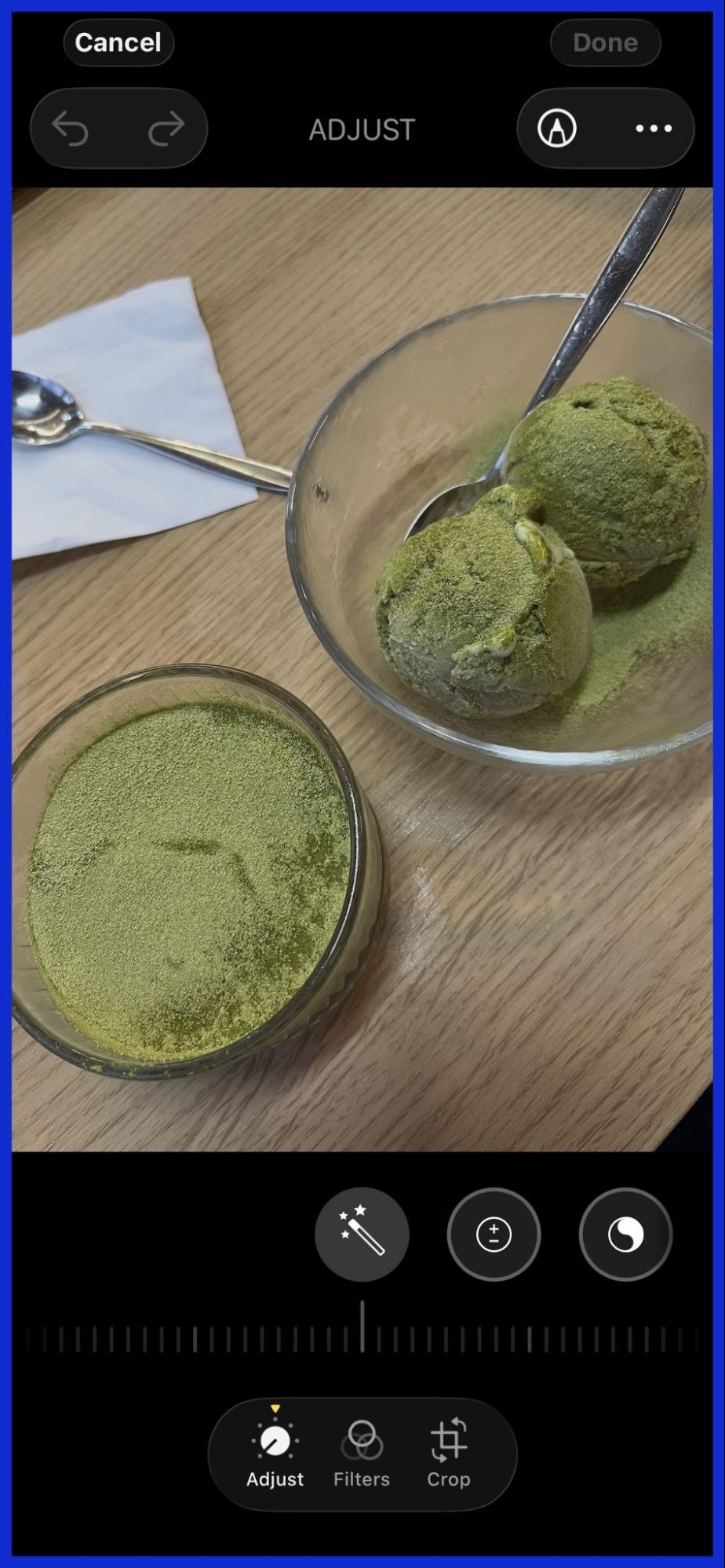
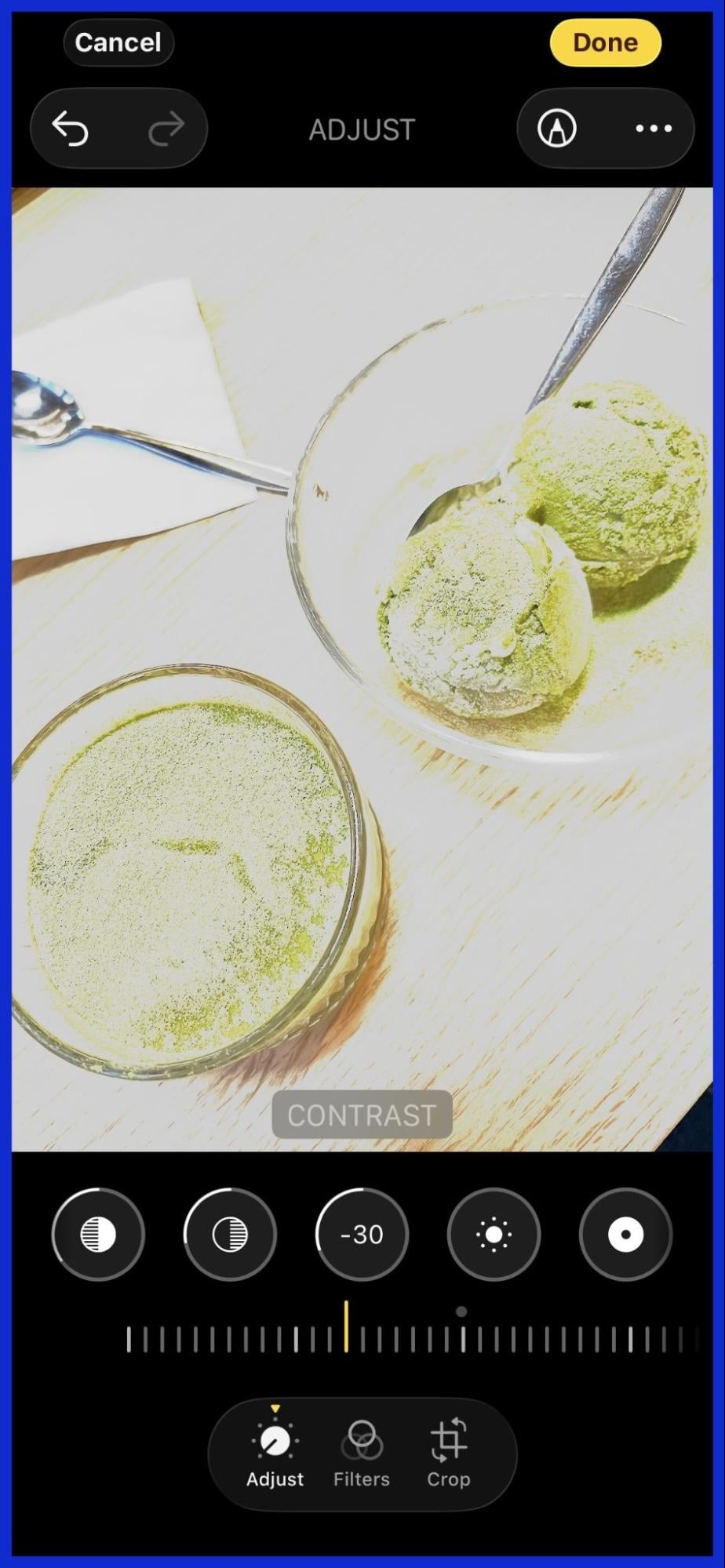
- Exposure and Brilliance: Turn both Exposure and Brilliance up to +100. (Yes, it looks like the photo is ruined, but trust the viral editing process!).
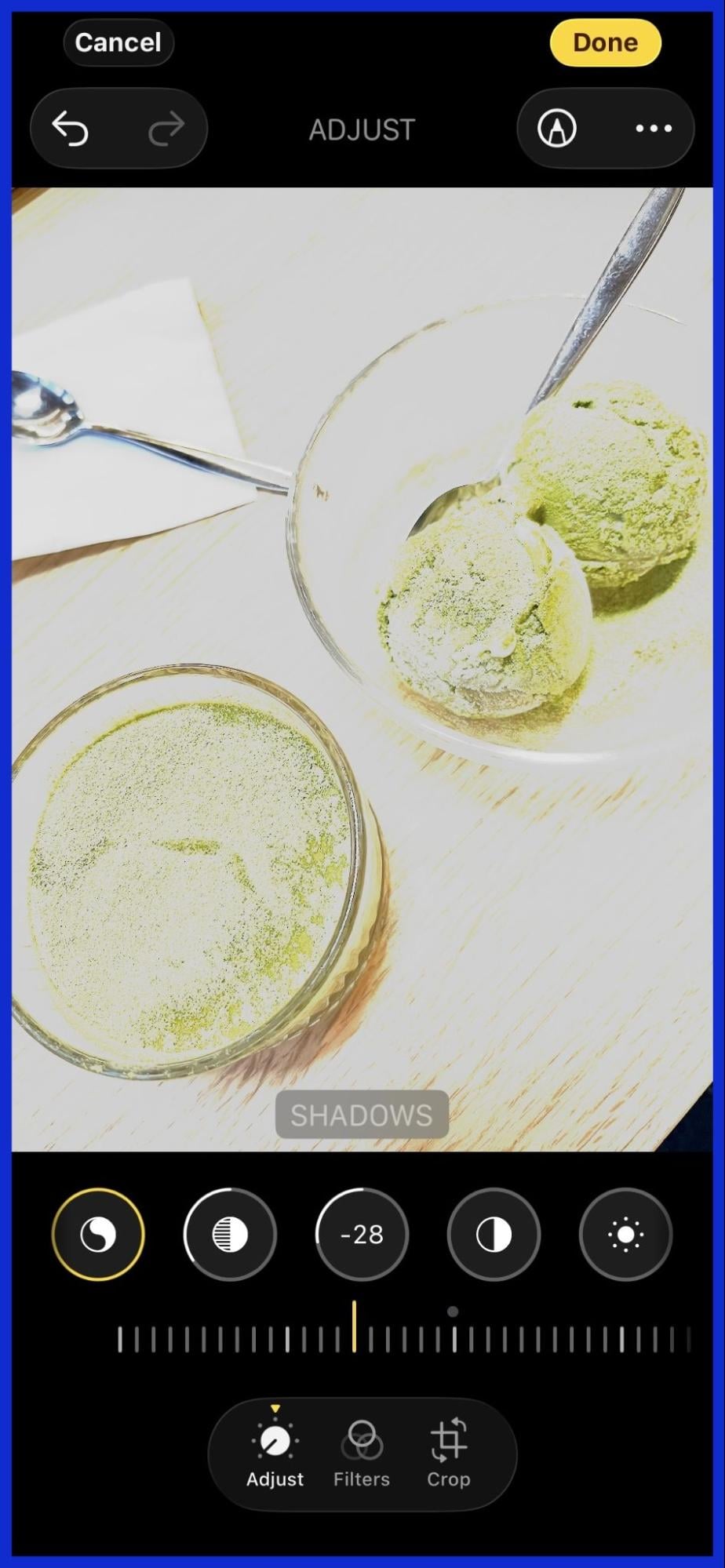
- Highlights and Shadows: Adjust your Highlights to -35 and your Shadows to -28. By adjusting the brilliance highlights shadows, you bring back the hidden details.
- Contrast and Brightness: Set Contrast to -30 and Brightness to -15.
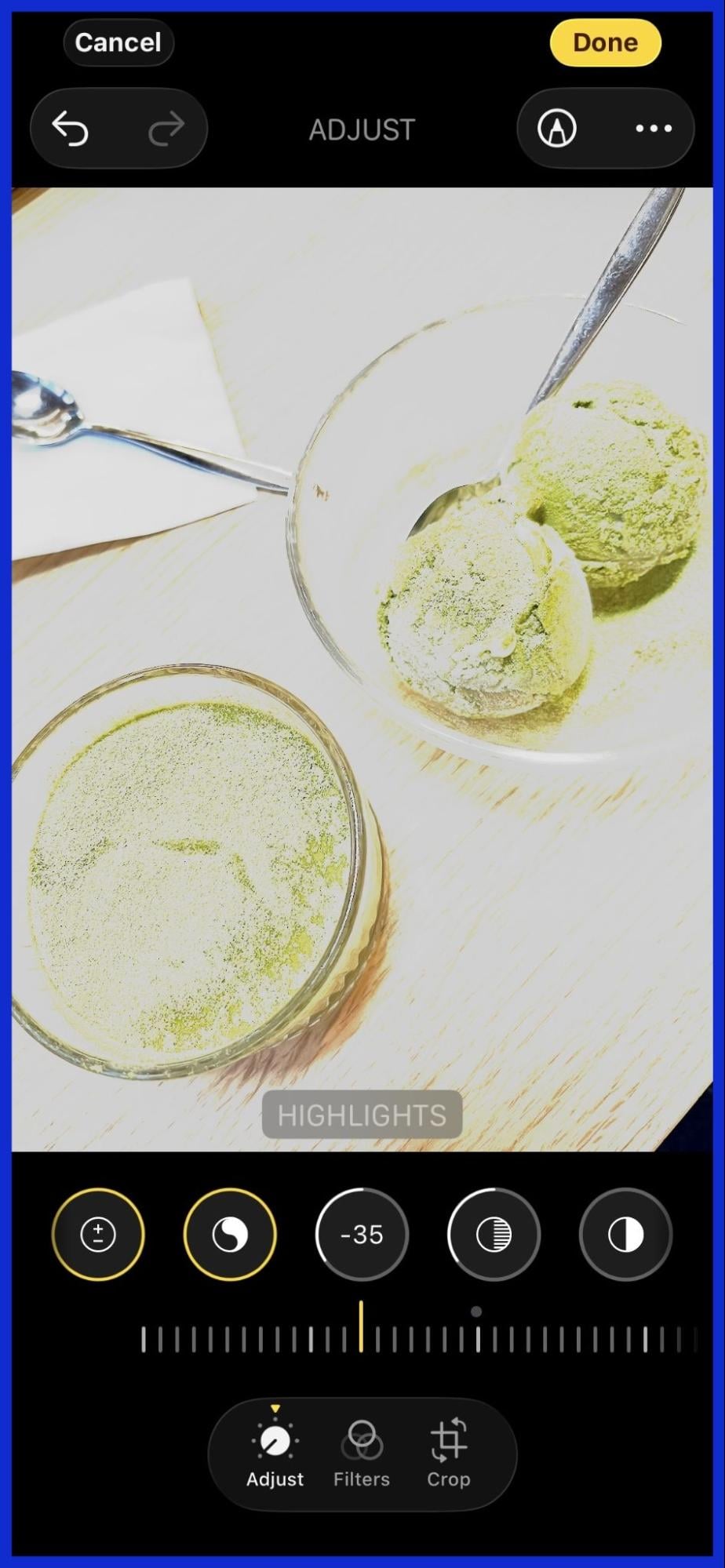
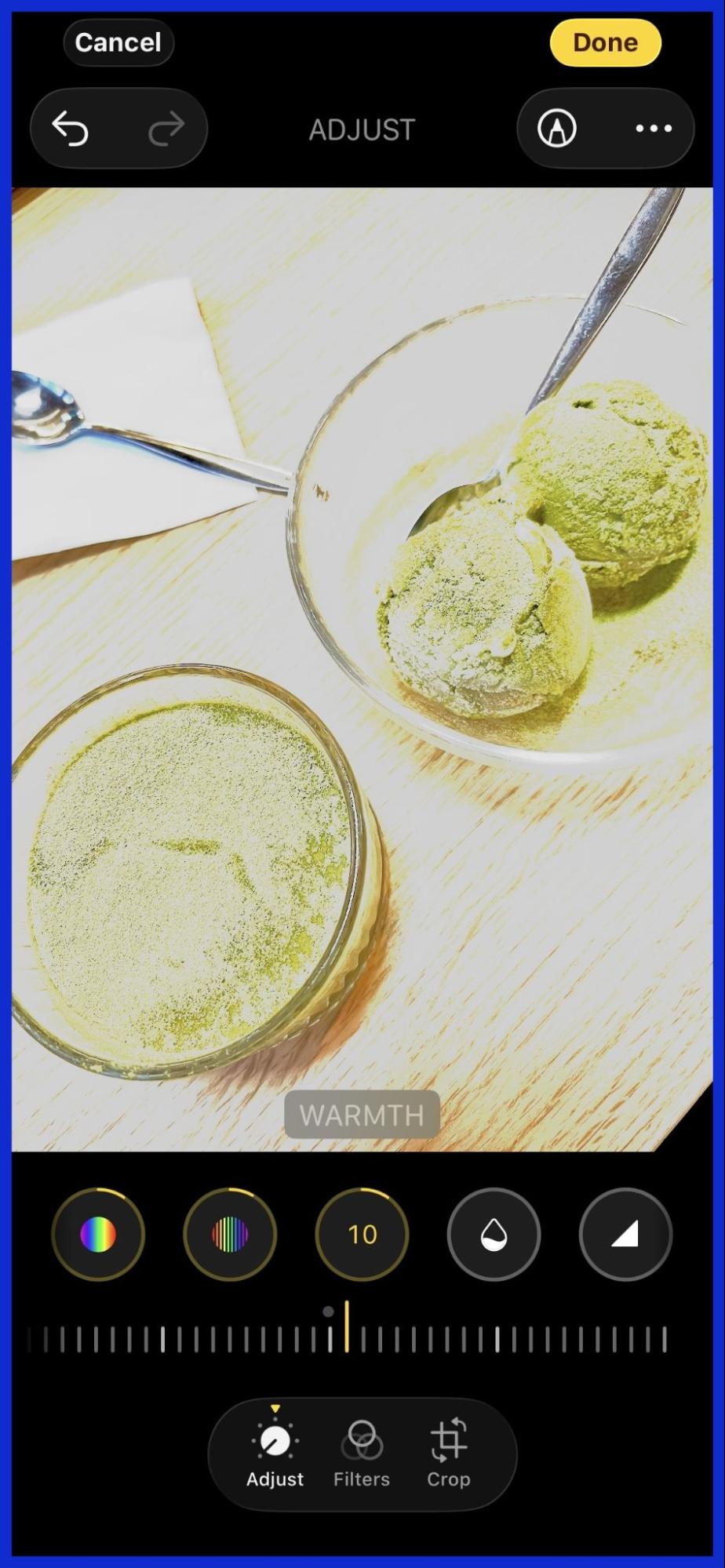
- Black Point and Saturation: Move your Black Point to +10 and Saturation to +10. Adjusting the point saturation makes the colors pop.
- Vibrance, Warmth, and Tint: Set Vibrance to +8, Warmth to +10, and Tint to +39. The warmth tint combination creates a beautiful golden hour glow.
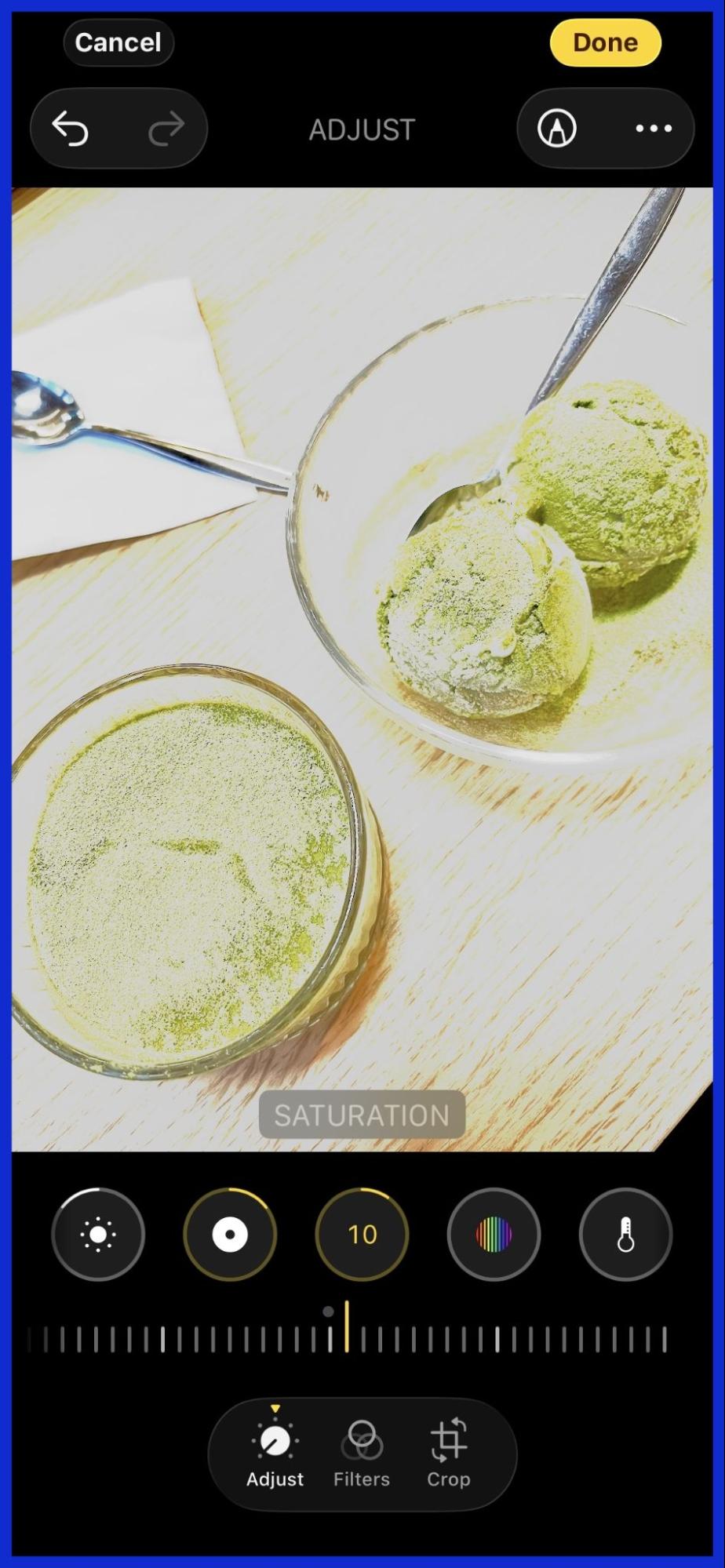
- The Magic Step: Finally, go all the way back to the first slider (Exposure) and slide it down to 0.
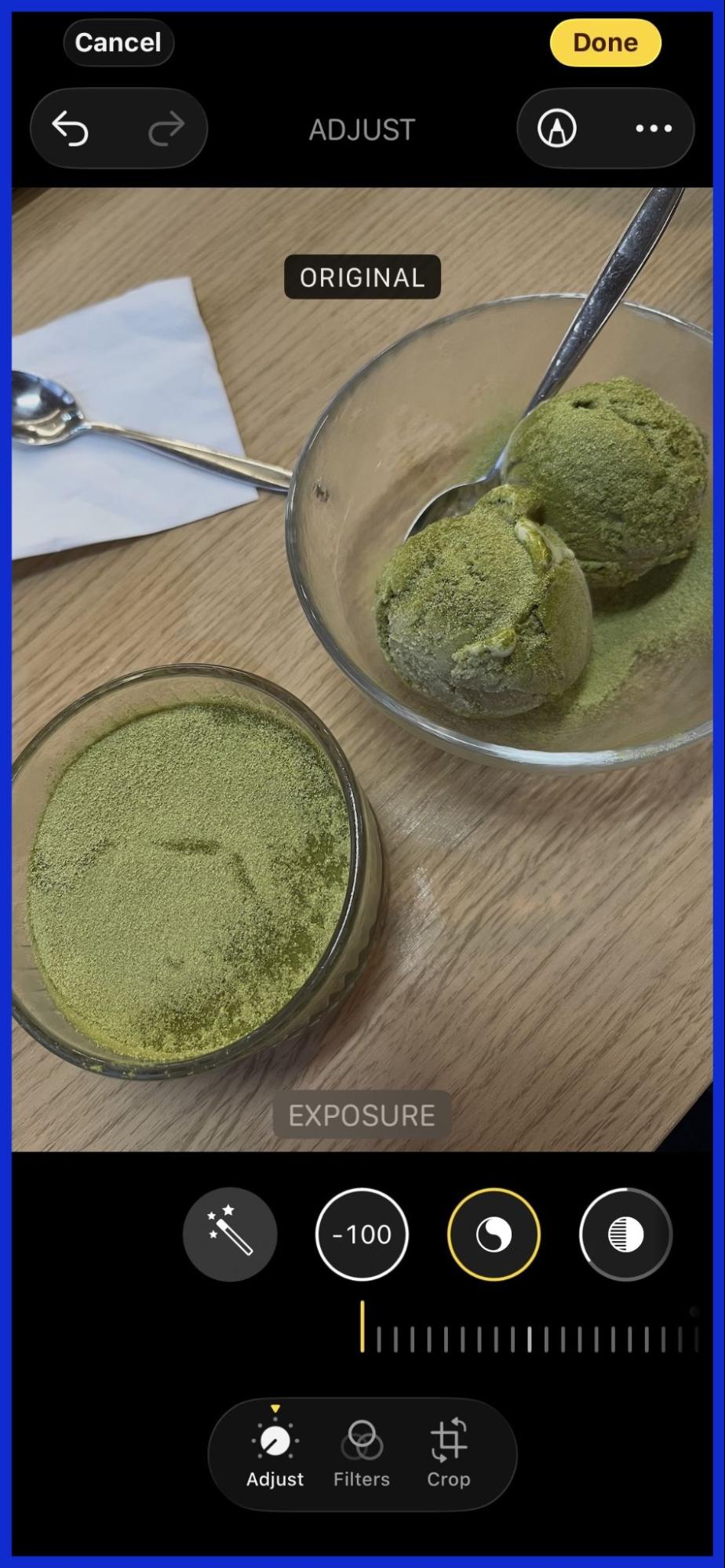
Watch as the image transforms! This is the perfect formula edit photos need to go from dull to dazzling.
Customizing Your iPhone Photo Edit Settings
While this is the best iphone baseline, every different photo requires a little tweaking.
- For Night Photos: If you are looking for an iphone photo edit settings formula night version, you will want to increase your shadows slightly and lower the black point so the image doesn’t get too grainy.
- For Instagram: If you are posting an Instagram gallery, consistency is key. Keep your filter settings and camera settings similar across all shots.
- For Golden Hour: If the sun is already setting, you might not need as much warmth. Drop the warmth slider down to +5.
This photo editing formula works beautifully on the iphone pro models, but it also works great on older iPhones. It is the ultimate way to edit iphone photos without applying a heavy, fake-looking photo filter.
Troubleshooting Online Video Tutorials
When people try to learn tips tricks or find an editing guide online, they often turn to video tutorials. However, navigating video platforms can sometimes be frustrating.
For example, you might click on a video search to learn how to edit photo settings, but the info shopping playback doesn’t begin. You might see an error like information try later live watch or just information try later live. Sometimes, the screen simply says information, try later.
If you try to save a video to a playlist to watch later, you might encounter a glitch where the include playlist error occurred retrieving the video. You might just see include playlist error occurred or a simple include playlist error.
When watching tutorials, you also want to manage your algorithm. Every time you watch a video, it affects your feed. Your added watch history influence recommendations, meaning your feed will fill up with editing tutorials. If you want to stop this, you need to adjust your settings so that your history influence recommendations avoid cancel out unwanted videos. You can find the influence recommendations avoid cancel sign or simply adjust the history influence recommendations, avoid toggles in your account settings. This ensures that your history influence recommendations don’t get cluttered.
Sharing Your Formula with Friends
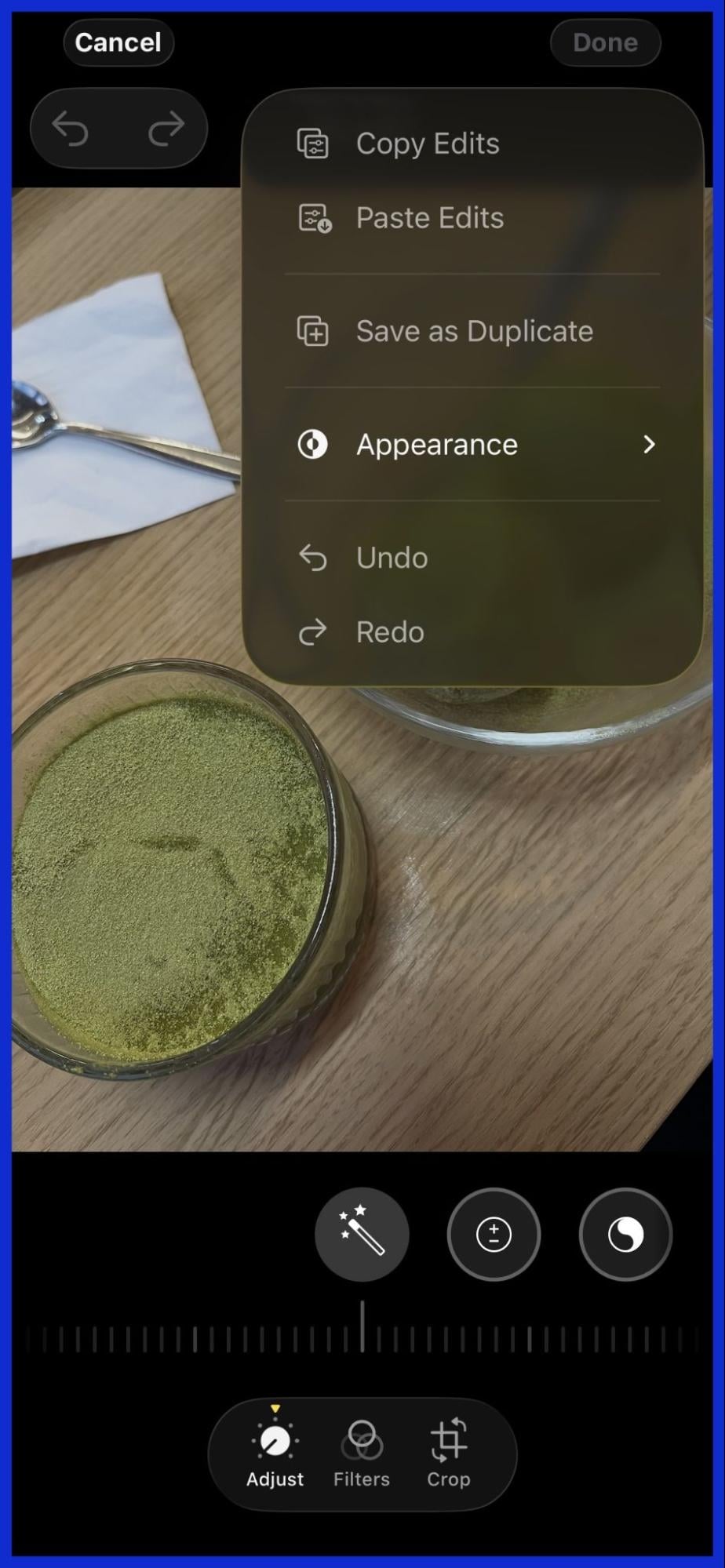
Once you master this editing hack, your friends will want to know your secret. You can easily share your iphone photo edit settings with them. You can copy link details to a tutorial, or you can even email them the iPhone settings numbers to their Gmail address.
To share your edits directly from your phone, you can actually copy the edits! Just tap the menu open icon (the three dots) on your edited photo, select “Copy Edits,” go to another photo, and hit “Paste Edits.” Then, tap the menu close button. It is the fastest way to apply your iPhone photo editing formula to a whole batch of pictures. Whether your friends use an iPhone or an Android device, sharing the raw numbers lets anyone replicate the look.
How Graphically Can Elevate Your Brand
Mastering how to get the best photo settings on iphone is amazing for your personal feed. But if you run a business, you need more than just a great iphone editing hack.
You need professional, high-quality graphics to stand out. That is where Graphically.io comes in. Graphically provides unlimited graphic design services for a flat monthly rate. Whether you need an iphone photo edit settings formula download PDF designed for your followers, custom social media posts, or complete brand overhauls, Graphically’s team of expert designers handles it all. Instead of worrying about editing photos iphone style for your business ads, let Graphically handle the heavy lifting so you can focus on growing your brand.
Conclusion
Learning how to properly use the iphone photo edit settings formula is a game-changer for anyone who wants to improve their iphone photography. By manipulating your exposure brilliance highlights, tweaking your black point, and adjusting your warmth tint, you can create stunning images right from your phone.
Skip the expensive presets and use privacy-friendly, built-in tools. (Always be sure to check the terms use and terms use privacy policies before downloading sketchy third-party apps that contain hidden affiliate links). The photos editing tools already on your iphone are incredibly powerful. Trust process, follow the formula edit photos iphone users swear by, and watch your images come to life!
Frequently Asked Questions
How to get the best photo settings on iphone?
To get the best settings, shoot in natural light, use the grid feature for composition, and use the viral iphone editing formula: push exposure and brilliance to 100, adjust highlights/shadows, tweak the warmth/tint, and then drop exposure back to zero.
Where can I find an iphone photo edit settings formula download?
You don’t need to download anything! You can screenshot the step-by-step list in this article and save it directly to your phone’s camera roll for easy reference.
What are the iphone photo edit settings for best quality?
For the best quality, make sure you are shooting in High Efficiency or Apple ProRAW (if you have an iPhone Pro). When editing, avoid pushing the sharpness or saturation too high, as this can degrade the image quality.
Is there an iphone photo edit settings formula free to use?
Yes! The viral formula discussed in this article is completely free because it uses the native Apple Photos app. You do not need to buy any presets or subscriptions.
What is the best iphone photo edit settings for instagram?
The best formula for Instagram involves lowering the highlights, lifting the shadows slightly, adding a touch of contrast, and boosting the warmth to give the photo a clean, cohesive, and sun-kissed look.
Where can I find the iphone photo edit settings formula reddit users recommend?
Many Reddit communities, like r/iphonephotography, share variations of the formula. The most common “Reddit approved” method is the exact one listed in our step-by-step guide above!
What is the best iphone photo edit settings formula night trick?
For night photos, do not turn the exposure up to 100. Instead, lift the shadows slightly, decrease the highlights to reduce glare from streetlamps, and increase the black point just enough to make the dark skies look rich instead of grainy.